

Avoid these LEGO display lighting mistakes for stunning setups
You spent weeks building that modular city or detailed Technic masterpiece, and then you flip on the display lights — and something feels wrong. The colors look muddy, shadows swallow entire sections, and the whole setup loses the magic you worked so hard to create. Most collectors never realize that lighting mistakes, not the build itself, are killing their displays. The good news is that every one of these errors is fixable, and the fixes are simpler than you might expect.
Table of Contents
- Mistake #1: Using the wrong color temperature LEDs
- Mistake #2: Mixed color temperatures and inconsistent lighting
- Mistake #3: Poor positioning leads to harsh shadows and hidden details
- Mistake #4: Overlooking layer and diffusion for pro display quality
- Mistake #5: Skipping planning for custom wiring and voltage in MOCs
- The real secret: Lighting is your display’s storytelling tool
- Level up your LEGO lighting with Brickilo kits
- Frequently asked questions
Key Takeaways
| Point | Details |
|---|---|
| Choose the right color temp | Using correct LED color temperature stops color distortion and enhances your build’s theme. |
| Keep lighting consistent | Mixing bulb types creates ugly color shifts, so pick one type for a clean look. |
| Position lights carefully | Proper placement like 45-degree key and 30–50% fill reveals details and minimizes shadows. |
| Layer and diffuse for realism | Layered lighting and diffusion makes displays more vivid and professional. |
| Plan wiring for MOCs | Plan circuits and test LEDs in custom builds to prevent burnout and wiring headaches. |
Mistake #1: Using the wrong color temperature LEDs
The most common and damaging error starts before you even position a single light. Color temperature, measured in Kelvin (K), describes how warm or cool a light source appears. Get it wrong, and your entire build pays the price.
Household LEDs cause color casts that most collectors never connect back to the bulb. A warm 2700K to 3000K bulb, the kind you’d find in a living room lamp, turns blue LEGO pieces greenish and makes white bricks look creamy or even yellowish. Cheap daylight LEDs on the other end of the spectrum have poor color rendering, making grays look sickly and reds appear muddy. Neither extreme does your collection any favors.
“The bulb you choose doesn’t just light your build — it recolors it. A wrong temperature choice can make a pristine white castle look like it was left in the sun for a decade.”
Here’s how to match color temperature to your theme:
- Warm white (2700K to 3000K): Best for vintage castle sets, medieval themes, and warm-toned city scenes. Think candlelight and cozy interiors.
- Neutral white (3500K to 4100K): The safest all-around choice. Works well for modular buildings, Creator sets, and mixed-theme displays.
- Cool white (5000K to 6500K): Ideal for sci-fi builds, space sets, and technical models where a clinical, futuristic feel enhances the theme.
For retro gaming console displays, a warm-to-neutral range around 3000K to 3500K adds a nostalgic glow that feels authentic to the subject matter. Matching your light temperature to your theme is not guesswork — it is one of the most deliberate and impactful choices you can make.
Pro Tip: Pick up a simple color rendering index (CRI) meter or check product specs before buying LEDs. Look for a CRI rating of 90 or above to ensure your LEGO colors appear true and vivid under your chosen lights.
Mistake #2: Mixed color temperatures and inconsistent lighting
Beyond the choice of LED itself, another silent culprit can creep into even advanced setups: mixed color temperatures. This one is subtle, but once you see it, you cannot unsee it.
Mixed color temperatures create visible casts across your display. Combine a warm tungsten lamp on one side with cool window light streaming in from the other, and your build will look like two completely different models depending on which angle you view it from. Even a single warm LED tucked into a corner of an otherwise cool-lit display can throw off the entire color balance.
Here is what inconsistency actually looks like in practice:
- A white building looks yellow on the left side and blue-gray on the right.
- Red bricks near a warm source look orange while the same red bricks near a window look true red.
- Photographs of your build become nearly impossible to color-correct without heavy editing.
This matters especially if you photograph your builds for social media or competitions. Judges and followers notice when something looks “off” even if they cannot explain why. The culprit is almost always mixed light sources.
For displaying modular LEGO sets with multiple floors and interior rooms, consistency is non-negotiable. Every light source inside and around the model should share the same color temperature. If you are using neutral white LEDs for the interior, close the blinds or move the display away from windows during photography sessions.
Pro Tip: Use blackout curtains or shoot your display at night to eliminate window light entirely. This gives you full control over every light source and produces consistent, professional results every time.
- Always buy LEDs from the same product line or batch.
- Avoid mixing LED strips with point-source bulbs unless they share an identical Kelvin rating.
- Use a white card or gray card to check for color casts before committing to a final setup.
Mistake #3: Poor positioning leads to harsh shadows and hidden details
Consistency and color accuracy are step one, but the physical location of your lights matters just as much for the wow factor. Where you place a light determines what gets revealed and what disappears into shadow.
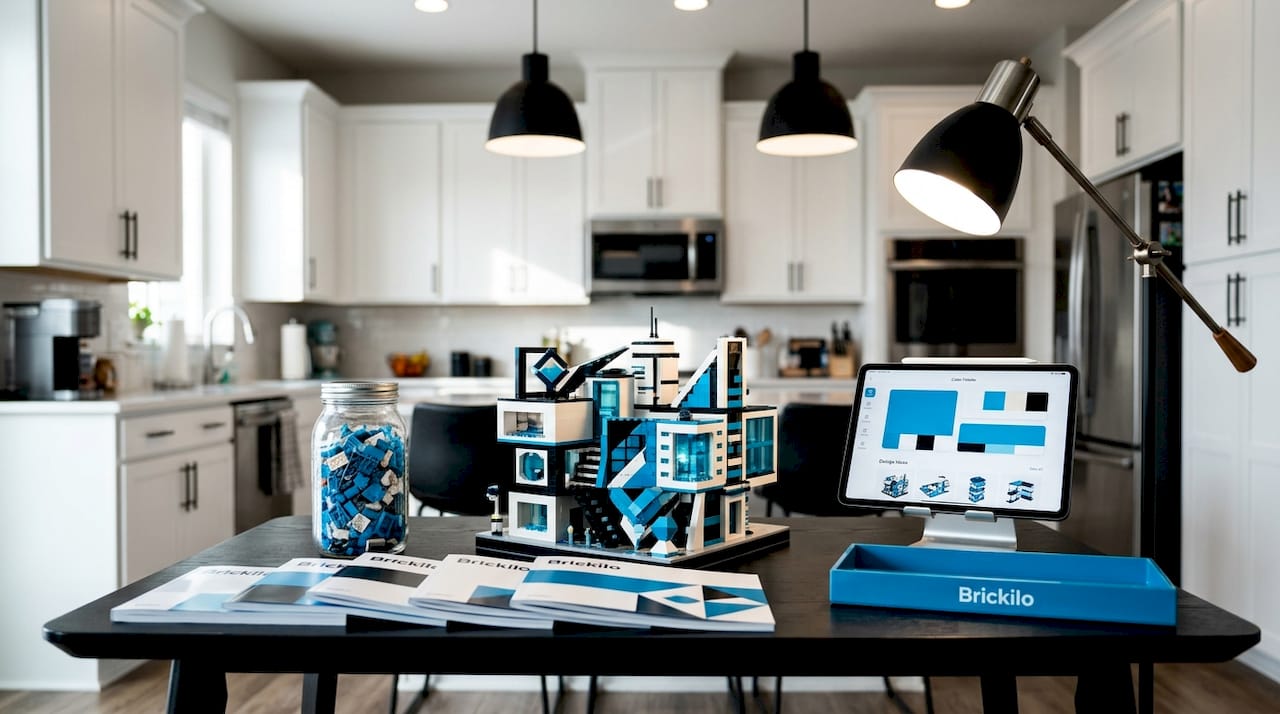
Harsh overhead lighting creates deep shadows in the crevices between LEGO bricks, making your build look flat and heavy rather than detailed and dimensional. A single light source directly above your model is the fastest way to erase all the fine detail you spent hours placing.
Follow this positioning sequence for a balanced display:
- Set your key light at a 45-degree angle above and to one side of your build. This is your main light source, and it creates the primary highlights and shadows that give your model dimension.
- Add a fill light on the opposite side at 30 to 50 percent of the key light’s intensity. The fill light softens the harsh contrast the key light creates without eliminating it entirely.
- Place a background light behind or beneath your model to separate it visually from its display surface and add depth to the overall scene.
| Light type | Position | Intensity | Purpose |
|---|---|---|---|
| Key light | 45 degrees above, side | 100% | Main illumination and dimension |
| Fill light | Opposite side, lower | 30 to 50% | Soften shadows, reveal crevice detail |
| Background light | Behind or below model | 20 to 40% | Depth and separation from surface |
For lighting plant builds and botanical models, a slightly lower key light angle around 30 degrees can bring out leaf textures and translucent green elements in a way that overhead lighting simply cannot achieve.
“Think of your key light as the sun and your fill as reflected light from the ground. Nature uses both, and your display should too.”
The goal is never to flood your build with light from every direction. Controlled contrast is what makes a display look dramatic and intentional rather than overlit and flat.
Mistake #4: Overlooking layer and diffusion for pro display quality
Perfect placement does a lot, but true display potential means thinking in layers and adding diffusion. Flat, single-source lighting is the enemy of a professional-looking collection, no matter how well positioned that single source is.
Layered lighting separates subject, detail, and environment. Your key light handles dimension, your fill light opens up the shadows inside brick crevices, and your background light creates visual separation between the model and its surface. Each layer serves a specific purpose, and removing any one of them weakens the overall effect.
Diffusion is the other half of this equation. A bare LED pointed directly at a glossy LEGO surface creates harsh specular highlights, those bright white spots that blow out detail and look cheap in photos. Diffusing your light source spreads the beam and softens those hot spots dramatically.
Here is a direct comparison of flat versus layered setups:
| Setup type | Shadows | Detail visibility | Photo quality | Mood |
|---|---|---|---|---|
| Single overhead light | Harsh, deep | Poor in crevices | Flat and overexposed | Sterile |
| Layered with diffusion | Soft, controlled | Excellent | Dimensional and vivid | Dramatic and intentional |
Practical diffusion options for LEGO displays:
- Translucent LEGO elements: Frosted or clear slope pieces placed in front of a light source act as a built-in diffuser that blends seamlessly with your build.
- Parchment paper or tracing paper: Inexpensive and effective for softening LED strip lights in display cases.
- Dedicated diffuser panels: Available for photography setups and easy to adapt for shelf displays.
For small display lights placed inside minifigure scenes or interior rooms, diffusion is especially important. A bare 1x1 LED inside a tiny room creates a harsh, artificial look. A small piece of translucent brick placed in front of it transforms the same light into a convincing lamp or glowing window.
Mistake #5: Skipping planning for custom wiring and voltage in MOCs
While display techniques suit collectors, MOC (My Own Creation) builders face unique wiring hazards if they skip foundational planning. This is where enthusiasm without preparation leads to burned-out LEDs, flickering lights, and builds you have to partially disassemble to fix.
Thin wires under plates prevent burnout when you plan your resistor calculations correctly for DIY LEDs and test voltage stability before committing to a full build. Skipping any one of these steps creates problems that compound over time.
Follow this planning sequence before you wire a single LED:
- Map your power paths on paper first. Decide where your power source sits, where wires will run, and which LEGO plates they will hide beneath. Thin 28-gauge or 30-gauge wire fits cleanly under standard plates without creating gaps.
- Calculate your resistor values. Every LED has a forward voltage rating. Running it without the correct resistor causes it to draw too much current and burn out quickly. Use Ohm’s law: R = (supply voltage minus LED forward voltage) divided by desired current.
- Test one section completely before building further. Connect your first cluster of LEDs, power them up, and check for flicker, heat, and consistent brightness before adding the next section.
- Verify voltage stability under load. A power supply that measures 5V with one LED might drop to 4.6V with ten. Test with all LEDs connected before finalizing your wiring.
Pro Tip: Use a 1x4 LED kit as your starting point for MOC interior lighting. The pre-calculated resistors and standardized connectors eliminate the most common burnout causes and give you a reliable foundation to build from.
Unplanned wiring is the single biggest reason MOC builders end up with lighting they hate six months after finishing a build. A little planning upfront saves hours of frustrating repairs later.
The real secret: Lighting is your display’s storytelling tool
Here is something the checklists and technical guides rarely say out loud: lighting is not just a utility function for your display. It is the primary storytelling tool you have as a collector and builder.
Every rule in this article matters, but rules only get you to competent. What separates a display that stops people in their tracks from one that just looks “nice” is intentionality. The best builders we have seen treat each lighting setup the way a film director of photography treats a movie scene. They ask what mood this build should evoke, what details deserve to be celebrated, and what shadows should be allowed to suggest rather than reveal.
A haunted LEGO mansion with perfectly even, neutral white lighting is technically correct and completely lifeless. The same model with warm amber light spilling from one window, a cool blue glow from a second-floor room, and a subtle background light casting a long shadow on the display surface tells a story without a single word.
For lighting for retro gaming builds, we have seen builders add a faint screen glow effect using a cool blue LED aimed at a minifigure’s face. Technically, that breaks the “consistent color temperature” rule. Creatively, it is exactly right.
Our honest take: follow the rules until you understand why they exist. Then break them deliberately, with purpose. Test different setups for every new piece you add to your collection. Shoot photos at multiple angles and intensities. The builders who get the most out of their displays are the ones who treat every new model as an opportunity to experiment, not just a checklist to complete.
Level up your LEGO lighting with Brickilo kits
If you are ready to move from trial-and-error to setups that consistently impress, having the right hardware makes every technique in this article easier to execute.
At BrickiloToys.com, our kits are designed specifically for collectors and MOC builders who want reliable, theme-matched results without the guesswork. The colorful LED lighting kit with remote control lets you shift color temperature and intensity on the fly, making it easy to experiment with mood and storytelling. For structured interior builds, the 1x4 LED light kit gives you pre-calculated, plug-and-play components that hide cleanly under standard plates. Every kit ships worldwide with fast delivery, so your next build does not have to wait.
Frequently asked questions
What color temperature is best for displaying LEGO builds?
A neutral white at 3500K to 4100K works best for most displays, but warm temperatures suit vintage and medieval themes while cool temperatures enhance sci-fi and technical sets.
How do I avoid harsh shadows on my LEGO display?
Position your key light 45 degrees above your build and add a fill light on the opposite side at 30 to 50 percent of the key light’s brightness to soften contrast without flattening the scene.
Are cheap LEDs okay for LEGO displays?
No. Cheap LEDs produce poor color rendering that makes gray bricks look sickly and reds appear muddy, undermining the visual quality of even the most detailed builds.
How important is diffusing display lights?
Very important. Diffusing harsh light points eliminates glare on glossy LEGO surfaces, softens specular highlights, and produces a more realistic, dimensional look that photographs well and impresses in person.